What Is WebMCP? The Complete Beginner's Guide to the Future of AI and the Web (2026)
Mousam Kourav
Author
24 February 2026
Published
11 min
Read time
6763
Views
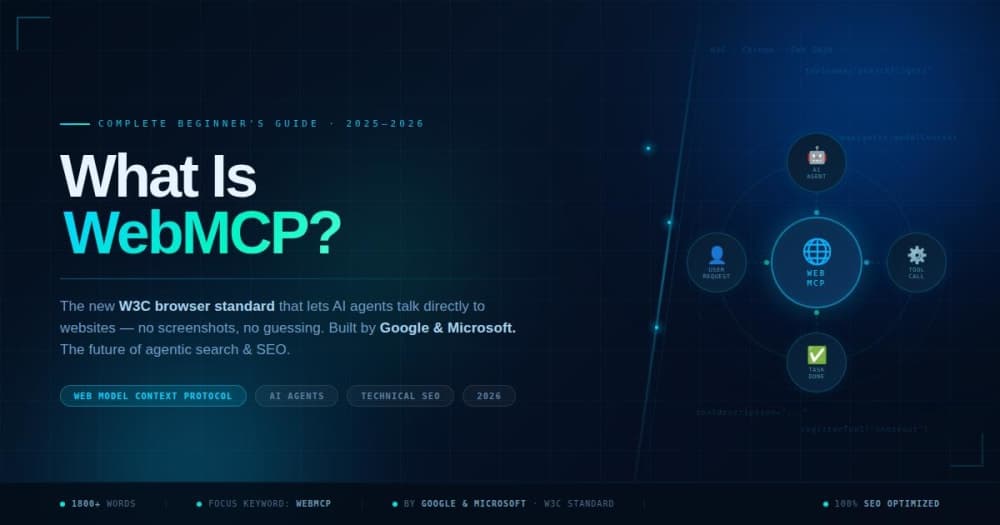
Imagine you have a super-smart AI assistant on your computer. You ask it to book a flight for you. In the old way, this AI would take a screenshot of your screen, look at the image like a human would,...
Imagine you have a super-smart AI assistant on your computer. You ask it to book a flight for you. In the old way, this AI would take a screenshot of your screen, look at the image like a human would, try to figure out where the "Search Flights" button is, then move the mouse and click — all while guessing what each element does. It was slow, expensive, and often broke if the website changed even a tiny bit. Now imagine instead that the website itself tells the AI: "Hey, I have a tool called searchFlights(destination, date). Just call it and I'll do the rest." This is exactly what WebMCP makes possible — and it is about to change the internet as we know it. In this blog post, we will break down everything you need to know about WebMCP in plain, simple language — no tech degree required. WebMCP stands for Web Model Context Protocol. It is a new standard — think of it as a universal language — that lets AI agents talk directly to websites in a structured, reliable way. Developed jointly by Google and Microsoft and published under the W3C Web Machine Learning Community Group, WebMCP was officially announced on February 10, 2026, and is currently available as an early preview in Google Chrome. At its core, WebMCP allows websites to publish a "Tool Contract" — a structured list of things the website can do. AI agents can read this list and perform actions directly, without needing to look at screenshots or click around blindly. Think of it like a restaurant menu. Without a menu, the waiter has to guess what food you want. With a menu, you point and say: "I want Item #3." WebMCP is the menu that websites give to AI agents. Before WebMCP, AI agents had only two ways to interact with a website: • Visually — The AI takes screenshots of the screen and tries to read the text and infer where to click. This is incredibly slow and expensive because it requires powerful vision AI models and multiple roundtrips. • Semantically — The AI parses the raw code (DOM/HTML) of the webpage trying to extract meaning. This is also fragile — if a developer changes a class name, the agent breaks. Both methods are like asking someone to assemble furniture without an instruction manual. They have to guess every step. WebMCP gives AI agents the instruction manual. The result of those old methods? Slow performance, high token costs, low reliability, and agents that break every time a website updates its design. WebMCP eliminates all of that. WebMCP introduces two new browser APIs — think of these as two different ways websites can talk to AI: This is perfect for websites that already have HTML forms. Developers simply add a few extra attributes to their existing forms, and the form becomes an AI-accessible tool. For example, a login form would get attributes like: toolname="login" tooldescription="Log in to the application with email and password" That is it. Two lines of HTML. Now an AI agent can log a user in automatically without fumbling around the page. If you already have clean HTML forms, you are probably 80% done! For more complex interactions — like filtering products, processing payments, or running searches — developers use JavaScript to register tools with full parameter descriptions. For example: registerTool("searchProducts", "Search for items in the store", { query: string, filters: object }) Now instead of an AI clicking through filter dropdowns, scrolling through pages, and taking screenshots — it makes ONE structured function call and gets back clean data instantly. You may have heard of MCP — Anthropic's Model Context Protocol. WebMCP shares a name and concept, but they are different things. Here is a simple comparison: The two protocols are complementary, not competing. A travel booking site might use backend MCP for API-level AI integrations and WebMCP on their website for real-time user-facing agent interactions. WebMCP is not just a technical specification — it solves real, everyday problems for users and businesses. Here are some practical examples: • Travel Booking: A user asks their AI assistant, "Book me the cheapest flight to Dubai next Friday." With WebMCP, the AI calls searchFlights(destination: 'Dubai', date: 'next Friday') and completes the booking in seconds — no screenshots, no clicking through dropdowns. • Customer Support: An AI agent automatically fills in a detailed support ticket with the user's system info, error logs, and description — pulling it all from context and submitting it through a registered tool. • E-Commerce Shopping: "Find me a red summer dress under $80, no ruffles." The AI calls filterProducts() with precise parameters and returns exactly what the user wants — instead of browsing through hundreds of pages. • Accessibility: WebMCP is a huge win for people with disabilities. Assistive technologies can now offer higher-level actions ("submit the contact form") rather than low-level clicking, making the web more inclusive. • Design Tools (like Canva): Imagine telling an AI: "Change my flyer title to 'Yard Sale Extravaganza!' and create 3 versions with different taglines." With WebMCP tools registered on the design platform, this becomes one simple conversation. SEO experts are already calling WebMCP the biggest shift in technical SEO since structured data (Schema.org). Here is why it matters for your website's visibility and performance: • AI Discoverability: As AI assistants like ChatGPT, Gemini, and Claude increasingly browse the web on behalf of users, websites with WebMCP implemented will be preferred. AI agents will favor websites that clearly expose their capabilities. • Agentic Search: The future of search isn't just "find this page" — it is "complete this task." WebMCP enables your website to participate in this agentic web economy, where AI completes transactions on users' behalf. • Structured Data 2.0: Just like Schema markup helped Google understand your content better, WebMCP tools help AI agents understand what your website can DO. It is structured data for actions, not just information. • Lower Bounce Rates: When AI agents can complete tasks efficiently on your site, user satisfaction improves. This signals quality to search engines and reduces abandonment. WebMCP has strong institutional backing, which signals this is not a passing trend: • Google: Leading the Chrome implementation and TensorFlow.js integration. Google Chrome launched the first working implementation in February 2026. • Microsoft: Contributing through the Edge platform and DirectML alignment, ensuring compatibility across browsers. • W3C Community Group: The Web Machine Learning Community Group formally accepted the WebMCP specification in September 2025, giving it the weight of an international standards process. • Alex Nahas (Amazon/MCP-B): The original inventor of MCP-B, a browser-based MCP solution. His work at Amazon inspired the WebMCP specification and he was a driving force behind its creation. WebMCP is currently in early preview (as of February 2026), available in Google Chrome Canary. Here is how developers can start experimenting today: Step 1: Download Google Chrome Canary This is the experimental version of Chrome where WebMCP is currently enabled. Go to the Chrome Canary download page and install it. Step 2: Enable the WebMCP Flag Navigate to chrome://flags in Chrome Canary and search for "WebMCP for testing." Enable this flag and restart the browser. Step 3: Apply for the Early Preview Program Google has an Early Preview Program (EPP) for WebMCP. Sign up to gain access to official documentation, demos, and developer tools like the Model Context Tool Inspector for debugging. Step 4: Add Tools to Your Website Start with the Declarative API — add toolname and tooldescription attributes to your existing HTML forms. This is the fastest way to make your site agent-ready with minimal effort. The WebMCP specification is built on three foundational ideas that ensure AI agents work safely and effectively with websites: • Context: All the data an agent needs to understand what the user is doing, including content that may not be currently visible on screen. Think of it as giving the AI the full picture. • Capabilities: The specific actions the AI can take on behalf of the user — from filling out forms to executing searches and completing bookings. • Coordination: The handoff system between user and agent. WebMCP is explicitly designed for cooperative, human-in-the-loop workflows — not fully autonomous AI taking over. The user stays in control. With great power comes great responsibility, and WebMCP is aware of security challenges. One important issue is what experts call the "lethal trifecta": If an AI agent has access to multiple browser tabs simultaneously — one being your bank, another being a malicious website — the malicious site could potentially instruct the agent to steal information from the bank tab. This is a real architectural challenge that the WebMCP team is actively working to solve. For now, WebMCP's design addresses this by keeping humans in the loop, requiring user confirmation for sensitive actions, and isolating tool contexts. As the standard matures, more robust security layers will be added. You do not need to be a developer to benefit from WebMCP. Here is what it means for your everyday internet experience: • Faster AI assistants: Your AI will complete tasks on websites much faster because it no longer has to guess what to do. • More reliable automation: AI agents will stop breaking every time a website updates its design. • Lower cost AI usage: Fewer screenshots and vision AI calls means lower API costs, which means cheaper AI services. • Better accessibility: People with disabilities will be able to use the internet more independently through intelligent assistive technologies. WebMCP is still in its early days, but the roadmap is exciting: • The biggest question right now is when WebMCP will move from Google Chrome Canary into the full Chromium engine — which would make it available in ALL Chromium-based browsers (Chrome, Edge, Brave, Opera, and more). • More AI agents and platforms (like ChatGPT, Claude, Gemini, Copilot) are expected to add WebMCP support as the standard matures. • Security standards will be developed to address multi-tab AI agent risks. • The open-source library WebMCP.dev already allows any website to integrate with the Model Context Protocol today, with a simple JavaScript snippet, bridging the gap until native browser support is widespread. • WebMCP (Web Model Context Protocol) is a new browser standard that lets AI agents interact with websites through structured tools — not screenshots or guesswork. • It was developed by Google and Microsoft, standardized under the W3C, and launched in Chrome early preview in February 2026. • It offers two APIs: the Declarative API (simple HTML attributes) and the Imperative API (JavaScript tool registration). • WebMCP is different from Anthropic's MCP — it runs client-side in the browser, not on backend servers. • It is a major SEO shift — websites that implement WebMCP will be more discoverable and usable by AI agents. • Security and human-in-the-loop design are core principles — users stay in control. WebMCP represents a fundamental shift in how AI and the internet will work together. For decades, the web was built for humans to browse. Now, for the first time, we have a real standard for building websites that AI agents can browse intelligently, reliably, and efficiently. For web developers, it is an opportunity to future-proof their sites. For businesses, it is a chance to improve user experience and get ahead in the agentic web economy. For regular users, it promises a web that is faster, smarter, and more accessible. WebMCP is not just a technical protocol. It is a bridge between the human web of today and the agentic web of tomorrow. One thing is certain: websites that do not implement WebMCP risk being left behind in the AI-first era of the internet.What Is WebMCP?
The Problem WebMCP Solves: Why the Old Way Was Broken
How Does WebMCP Work? A Step-by-Step Breakdown
1. The Declarative API — Easy, No-Code Method
2. The Imperative API — For Complex, Dynamic Actions
WebMCP vs. MCP: What Is the Difference?
Real-World Use Cases of WebMCP: What Can It Actually Do?
Why WebMCP Is a Game-Changer for SEO and Digital Marketing
Who Is Behind WebMCP? The People and Organizations Driving It
How to Implement WebMCP on Your Website (Step-by-Step)
The Three Pillars of WebMCP: Context, Capabilities, and Coordination
WebMCP and Security: What You Need to Know
What Does WebMCP Mean for Regular Internet Users?
The Future of WebMCP: What Comes Next?
Key Takeaways: Everything You Need to Remember About WebMCP
Conclusion: Is WebMCP the Future of the Web?
Written by Mousam Kourav
Sharing insights and strategies to help businesses grow their digital presence.
Get in touch →Ready to Grow Your Business?
Let's discuss how we can help you achieve similar results.
Book a Free Strategy Call →